
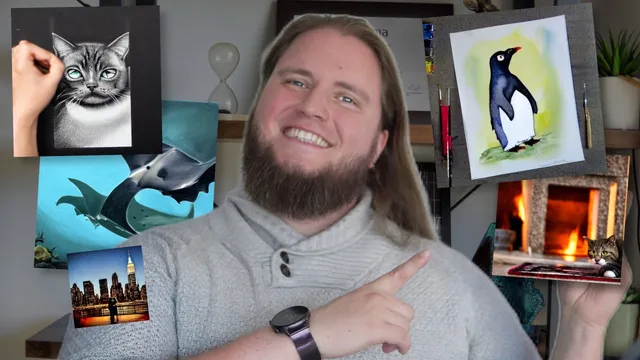
Put the Art in Artificial Intelligence
Skillshare · Skillshare · Updated
AI Tutor Rating
7.9/10
Duration
Self-paced
Classes
15
Stunning digital art in seconds
Put the Art in Artificial Intelligence is a self-paced Skillshare course focused on practical applications of AI for visual creation. It covers generating images, mastering prompt engineering for visual AI tools, creating consistent brand assets, and editing or enhancing images with AI. The course is structured into 15 lectures across chapters on image generation techniques, visual content workflows, and enhancement. It serves creative professionals, marketers, and hobbyists looking to efficiently produce digital art and scalable visual content using AI tools.
What you'll learn in Put the Art in Artificial Intelligence
Our Review of Put the Art in Artificial Intelligence
Put the Art in Artificial Intelligence adopts a straightforward, project-oriented structure common to Skillshare, with 15 self-paced lectures divided into logical chapters. The curriculum moves from an overview and generation techniques into practical workflows for editing and scaling content, suggesting a hands-on approach. This format is well-suited for visual learners who benefit from seeing techniques applied, though the lack of indicated certificate or detailed instructor bio means the course's authority rests solely on its practical utility rather than credentialed expertise.
The learning outcomes promise concrete skills: generating professional images, mastering prompt engineering, and creating brand visuals at scale. Given the listed prerequisites of 'None' and the course's placement in creative media and design, the depth appears tailored to beginners and intermediate practitioners seeking operational fluency with AI art tools, not theoretical depth. The $13.99 monthly Skillshare subscription pricing frames this as one of many courses in a library, making its value contingent on a learner's broader use of the platform rather than as a standalone purchase.
Pros and cons of Put the Art in Artificial Intelligence
Pros
- Focuses on practical, immediately applicable skills like prompt engineering and asset creation
- Self-paced format with 15 lectures offers flexibility for busy creatives
- No prerequisites lower the barrier to entry for complete beginners
- Covers a full workflow from generation to editing and enhancement
- Outcomes target professional-grade outputs and scalable brand visuals
Things to consider
- No certificate of completion is indicated, which may limit formal recognition
- Pricing is tied to a monthly subscription, not a one-time course fee
- Instructor is listed generically as 'Skillshare', offering no named expert guidance
Who should take Put the Art in Artificial Intelligence?
This course best fits creative professionals, marketers, and design hobbyists who need to produce high volumes of visual content efficiently. It is ideal for learners with no prior AI experience seeking a practical, workflow-focused introduction to generating and enhancing AI art for branding or digital projects.
Course curriculum for Put the Art in Artificial Intelligence
Put the Art in Artificial Intelligence at a glance
| Provider | Skillshare |
|---|---|
| Instructor | Skillshare |
| Level | Beginner |
| Time to complete | Self-paced |
| Pricing | $13.99/month |
| Certificate | No |
| Prerequisites | None |
Fit
Best for
Not ideal for
The bottom line on Put the Art in Artificial Intelligence
Put the Art in Artificial Intelligence delivers a functional, hands-on primer for using AI in visual design, though its value is enhanced by a broader Skillshare subscription. It succeeds as a practical starting point for creating assets but lacks credentialed instruction and formal certification.
Put the Art in Artificial Intelligence: frequently asked questions
What exactly does the Put the Art in Artificial Intelligence course teach you to do?
Put the Art in Artificial Intelligence teaches you to generate professional AI images, master prompt engineering for visual tools, create consistent brand visuals at scale, and edit, upscale, and enhance images using AI, as outlined in its learning outcomes.
Do I need any prior experience or software to take this AI art course?
No, the course lists no prerequisites, making it accessible for complete beginners interested in AI image generation and design.
Does the Put the Art in Artificial Intelligence course come with a certificate?
The page context does not indicate a certificate of completion for Put the Art in Artificial Intelligence.
How should I approach this course to get the best results from it?
To get the most from Put the Art in Artificial Intelligence, follow its workflow chapters sequentially, practice the prompt engineering and editing techniques actively, and apply the asset creation lessons to a real-world project.