
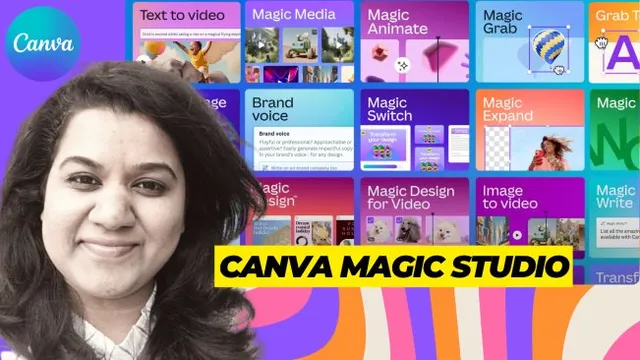
Canva Magic Studio : All-in-One AI Magical Design Powers @ Your ...
Skillshare · Skillshare Instructor · Updated
AI Tutor Rating
7.9/10
Duration
Self-paced
Classes
8
In this class you will learn about all the Canva's AI features like Magic Media, Magic Eraser, Background Remover, Magic Write, Magic Animate, Magic Switch, ...
The 'Canva Magic Studio : All-in-One AI Magical Design Powers @ Your ...' course on Skillshare is a self-paced tutorial focused on leveraging Canva's integrated AI tools for visual content creation. Based on the listed curriculum, it covers features like Magic Media, Magic Eraser, and Magic Write, guiding learners from an overview through optimization to a capstone project. This course serves individuals looking to enhance their graphic design workflow with AI, specifically targeting those who want to create professional AI-generated art and build a portfolio of AI-assisted content for commercial projects. It is positioned for users who already have access to Skillshare and Canva.
What you'll learn in Canva Magic Studio : All-in-One AI Magical Design Powers @ Your ...
Our Review of Canva Magic Studio : All-in-One AI Magical Design Powers @ Your ...
The structure of Canva Magic Studio : All-in-One AI Magical Design Powers @ Your ... appears streamlined, moving from an overview to optimization and a final project. This suggests a practical, project-based approach common to Skillshare's creative classes. The teaching format is presumably video-led, given the platform's standard, but the listing lacks specific details on instructional methods or supplemental materials. The depth versus difficulty is implied to be beginner-friendly, as no advanced prerequisites are listed beyond a Skillshare membership, positioning it as an entry point into using AI within a familiar design ecosystem.
The learning outcomes promise tangible skills: creating AI art, mastering tools for commercial use, building a portfolio, and applying prompt techniques. This indicates the course aims for immediate, practical application rather than theoretical deep dives. The value proposition is tied directly to the Skillshare Premium subscription model at $13.99 per month. With no certificate indicated, the primary value is skill acquisition and portfolio development, not formal credentialing. For a learner already subscribed to Skillshare, this represents a low incremental cost for focused training, but the value diminishes if one subscribes solely for this single course.
Pros and cons of Canva Magic Studio : All-in-One AI Magical Design Powers @ Your ...
Pros
- Focuses on practical application of Canva's AI suite for immediate design projects.
- Self-paced format accommodates varied learning schedules.
- No advanced prerequisites, making it accessible to beginners in AI-assisted design.
- Outcomes are geared toward commercial use and portfolio building, offering clear utility.
Things to consider
- Requires a Skillshare Premium subscription, adding a recurring cost barrier.
- No completion certificate is indicated, which may limit its use for career validation.
- Curriculum chapters are broad, suggesting potential lack of depth on individual AI tools like DALL-E or Midjourney mentioned in the skills list.
Who should take Canva Magic Studio : All-in-One AI Magical Design Powers @ Your ...?
This course is best for Skillshare members, particularly small business owners, marketers, or aspiring graphic designers, who want a fast, practical introduction to integrating Canva's AI tools into their daily workflow. It fits those seeking to produce commercial visual content efficiently without needing deep technical expertise in standalone AI art platforms.
Course curriculum for Canva Magic Studio : All-in-One AI Magical Design Powers @ Your ...
Canva Magic Studio : All-in-One AI Magical Design Powers @ Your ... at a glance
| Provider | Skillshare |
|---|---|
| Instructor | Skillshare Instructor |
| Level | Intermediate |
| Time to complete | Self-paced |
| Pricing | Skillshare Premium ($13.99/mo) |
| Certificate | No |
| Prerequisites | Skillshare membership |
Fit
Best for
Not ideal for
The bottom line on Canva Magic Studio : All-in-One AI Magical Design Powers @ Your ...
Canva Magic Studio : All-in-One AI Magical Design Powers @ Your ... offers a convenient, application-focused primer on Canva's AI features for existing Skillshare users. Its strength is in demystifying AI for practical design tasks, though its value is contingent on your subscription and need for a structured walkthrough rather than a certified credential.
Canva Magic Studio : All-in-One AI Magical Design Powers @ Your ...: frequently asked questions
What exactly is covered in the Canva Magic Studio : All-in-One AI Magical Design Powers course?
The Canva Magic Studio course covers the AI features within Canva, including Magic Media, Magic Eraser, Background Remover, Magic Write, Magic Animate, and Magic Switch, guiding learners to create professional AI-generated art and illustrations through a capstone project.
What do I need to start the Canva Magic Studio course?
The only listed prerequisite is a Skillshare membership, specifically a Skillshare Premium subscription, which costs $13.99 per month. No prior advanced design or AI experience is indicated as required.
Does the Canva Magic Studio course provide a certificate upon completion?
No, a completion certificate is not indicated for the Canva Magic Studio course on Skillshare. The primary value is skill acquisition and portfolio development.
How does this Canva AI course compare to learning from free online tutorials?
This course offers a structured, sequential curriculum from overview to capstone project within the Skillshare platform, which may provide more guided, cohesive learning than piecing together disparate free tutorials on individual Canva features.
How can I get the most value from the Canva Magic Studio course?
To maximize value, have an active Canva account ready for hands-on practice, focus on applying the prompt techniques taught to build a portfolio, and explore other related courses on Skillshare to leverage your monthly subscription fully.