
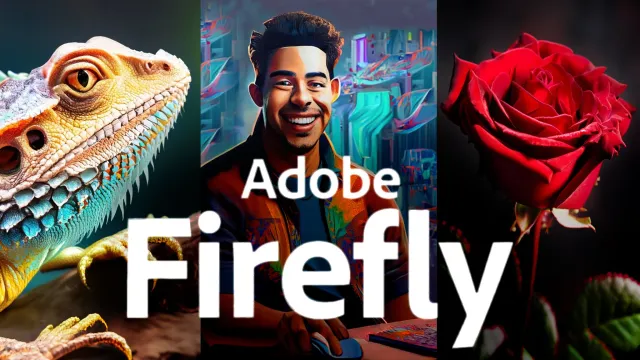
Adobe Firefly: Learn AI Features of Adobe Creative Apps
Skillshare · Photoshop AI · Updated
AI Tutor Rating
7.9/10
Duration
Self-paced
Classes
15
Photoshop AI integration
Adobe Firefly: Learn AI Features of Adobe Creative Apps is a Skillshare course focused on integrating Adobe's generative AI tools into creative workflows. The course covers core AI concepts, prompt engineering for visual tools, and techniques for generating professional AI art and images. It aims to teach learners how to create consistent brand visuals at scale and enhance images using AI. This self-paced course with 15 lectures serves designers, content creators, and marketers seeking to leverage Adobe Firefly's AI capabilities within the Adobe Creative Cloud ecosystem.
What you'll learn in Adobe Firefly: Learn AI Features of Adobe Creative Apps
Our Review of Adobe Firefly: Learn AI Features of Adobe Creative Apps
The course structure appears to follow a logical progression from core concepts to practical application, moving through consistent brand visuals, platform integration with Skillshare, and culminating in a final project. The 15-lecture format suggests a concise, focused curriculum rather than a comprehensive deep dive, which aligns with the self-paced nature and absence of prerequisites. The teaching format is presumably video-based, typical of Skillshare, which works well for visual demonstrations of AI image generation and editing techniques.
The learning outcomes promise actionable skills: generating professional AI images, mastering prompt engineering, creating scalable brand assets, and enhancing images with AI. The curriculum chapters indicate a hands-on approach, with a final project serving as a practical assessment of these skills. The $13.99 monthly Skillshare subscription price offers access to this and other courses, but the lack of an indicated standalone certificate may limit its value for those seeking formal credentialing. The value lies primarily in the applied skill development for immediate use in design and content creation workflows.
Pros and cons of Adobe Firefly: Learn AI Features of Adobe Creative Apps
Pros
- Focused on practical, immediate application of Adobe Firefly AI features
- Self-paced format accommodates varying schedules and learning speeds
- No prerequisites lower the barrier to entry for beginners
- Curriculum builds toward a hands-on final project for applied learning
- Subscription pricing provides access to broader Skillshare library
Things to consider
- No certificate of completion is indicated for credentialing purposes
- Depth may be limited by the concise 15-lecture structure
- Requires a Skillshare subscription rather than a one-time purchase
Who should take Adobe Firefly: Learn AI Features of Adobe Creative Apps?
This course is best for designers, marketers, and content creators already using or planning to use Adobe Creative Cloud apps who want to quickly integrate AI image generation and enhancement into their workflow. It fits learners seeking practical, project-based instruction in Adobe Firefly without needing prior AI experience.
Course curriculum for Adobe Firefly: Learn AI Features of Adobe Creative Apps
Adobe Firefly: Learn AI Features of Adobe Creative Apps at a glance
| Provider | Skillshare |
|---|---|
| Instructor | Photoshop AI |
| Level | Beginner |
| Time to complete | Self-paced |
| Pricing | $13.99/month |
| Certificate | No |
| Prerequisites | None |
Fit
Best for
Not ideal for
The bottom line on Adobe Firefly: Learn AI Features of Adobe Creative Apps
Adobe Firefly: Learn AI Features of Adobe Creative Apps offers a streamlined, practical introduction to Adobe's AI tools for visual creation. It delivers immediate, applicable skills in prompt engineering and AI asset generation, making it a solid choice for creative professionals looking to enhance their toolkit, though the lack of a certificate and subscription model may not suit all learners.
Adobe Firefly: Learn AI Features of Adobe Creative Apps: frequently asked questions
Do I need any prior experience with AI or Adobe software to take this course?
No, the course lists no prerequisites, making it accessible for beginners who want to learn Adobe Firefly's AI features from the ground up.
How much does the Adobe Firefly course cost and do I get a certificate?
The course is accessed through a Skillshare subscription costing $13.99 per month. The page context does not indicate that a certificate of completion is provided.
How can I get the most value from taking this Adobe Firefly course?
To get the most value, apply the prompt engineering and image generation techniques directly to your own projects, complete the final assessment, and explore other related courses included in your Skillshare subscription.