
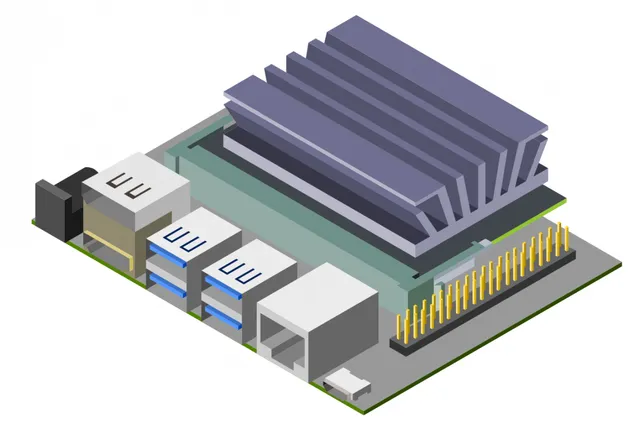
Getting Started with AI on Jetson Nano
NVIDIA Deep Learning Institute (DLI) · NVIDIA · Updated
AI Tutor Rating
8.1/10
Duration
8 hours
Classes
28
Build and train a classification dataset and model using NVIDIA Jetson Nano and computer vision workflows.
Getting Started with AI on Jetson Nano is an 8-hour course from the NVIDIA Deep Learning Institute (DLI) that provides a hands-on introduction to deploying artificial intelligence at the edge. The course focuses on building and training a classification model using the NVIDIA Jetson Nano developer kit and computer vision workflows. It serves learners in the build-develop category who want to move from theoretical machine learning concepts to practical implementation on embedded hardware, covering skills like setting up the Jetson Nano, collecting and labeling image data, and training and running vision models directly on the device.
What you'll learn in Getting Started with AI on Jetson Nano
Our Review of Getting Started with AI on Jetson Nano
The Getting Started with AI on Jetson Nano course is structured as a focused, project-driven tutorial. With 28 lectures packed into 8 hours, the curriculum moves efficiently from fundamentals to applied computer vision, suggesting a hands-on, workshop-style format typical of NVIDIA DLI offerings. This structure is ideal for learners who want to quickly achieve a tangible outcome, setting up a real device and completing a full vision project pipeline. The depth appears tailored to foundational application, guiding users through specific workflows on NVIDIA's hardware rather than delving deeply into the underlying machine learning theory.
The teaching format and listed outcomes indicate learners will gain practical, device-specific competency. By the end, a student should be able to physically set up a Jetson Nano and camera, create a custom image dataset, label it, train a classification model, and deploy that model to run inferences on the edge device. This is a concrete skill set for prototyping edge AI applications. However, the value proposition is complicated by the 'Contact for pricing' model and the lack of an indicated certificate. This suggests the course may be geared toward institutional or enterprise purchases rather than individual learners seeking a verifiable credential for their resume, potentially limiting its accessibility and perceived direct value for solo career builders.
Pros and cons of Getting Started with AI on Jetson Nano
Pros
- Focuses on practical, hands-on deployment of AI on real embedded hardware (Jetson Nano).
- Covers the complete pipeline from data collection and labeling to model training and on-device inference.
- Offers a clear, project-based structure through 28 lectures designed to be completed in 8 hours.
- Provided by NVIDIA Deep Learning Institute, ensuring authoritative content on their proprietary platform.
- Requires only basic Python familiarity, lowering the barrier to entry for hardware-focused AI.
Things to consider
- Pricing is not transparent and requires contacting the provider, which can be a barrier for individual learners.
- No completion certificate is indicated, which reduces its utility for formal credentialing or resumes.
- The 8-hour duration, while efficient, may mean theoretical foundations are covered only as needed for the specific project.
Who should take Getting Started with AI on Jetson Nano?
This course is best for developers, engineers, or hobbyists with basic Python skills who have acquired a Jetson Nano and want a guided, authoritative tutorial to build their first functional computer vision project on the device. It fits those seeking a practical entry point into edge AI deployment rather than deep theoretical study.
Course curriculum for Getting Started with AI on Jetson Nano
Getting Started with AI on Jetson Nano at a glance
| Provider | NVIDIA Deep Learning Institute (DLI) |
|---|---|
| Instructor | NVIDIA |
| Level | Intermediate |
| Time to complete | 8 hours |
| Pricing | Contact for pricing |
| Certificate | No |
| Prerequisites | Basic Python familiarity (helpful) |
Fit
Best for
Not ideal for
The bottom line on Getting Started with AI on Jetson Nano
Getting Started with AI on Jetson Nano is a focused, practical workshop that delivers on its promise to get a vision model running on NVIDIA's edge hardware. Its main limitations are the opaque pricing and lack of a certificate, making it a strong choice for hands-on learning where credential value is secondary.
Getting Started with AI on Jetson Nano: frequently asked questions
What will I actually learn to do in the Getting Started with AI on Jetson Nano course?
You will learn to set up the Jetson Nano hardware with a camera, collect and label your own image dataset, then train and run a computer vision classification model directly on the Jetson Nano device.
How much programming experience do I need for this NVIDIA DLI course?
The course lists basic Python familiarity as helpful, meaning you should understand Python syntax and fundamental programming concepts to follow the hands-on coding portions effectively.
Does the Getting Started with AI on Jetson Nano course provide a certificate of completion?
The page context does not indicate that this course offers a completion certificate, so learners should not expect a verifiable credential from this specific offering.
How does this hands-on Jetson Nano course compare to a general online machine learning course?
Unlike a general ML course covering theory and cloud platforms, this course is specifically about deploying a working vision model on physical edge hardware, providing niche, practical skills for embedded AI.
How can I get the most value from the Getting Started with AI on Jetson Nano course?
To get the most value, have a Jetson Nano kit and camera ready before starting, and follow along by building your own custom image dataset as instructed, moving beyond just watching the lectures.