
Computer Vision 101: Let's Build a Face Swapper in Python
Skillshare · Skillshare Instructor · Updated
AI Tutor Rating
8.4/10
Duration
Self-paced
Classes
8
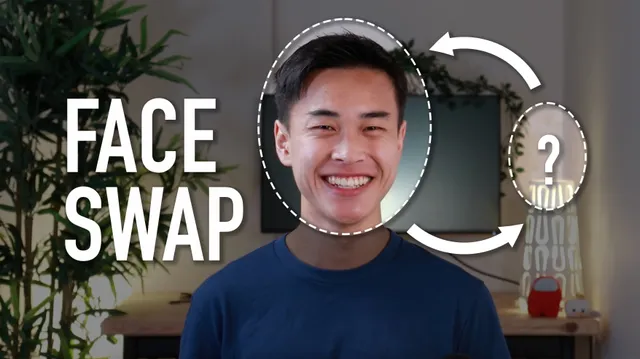
In this course, we will explore computer vision fundamentals as you build a Snapchat-esque face swap application.
Computer Vision 101: Let's Build a Face Swapper in Python on Skillshare is a practical, project centered course that teaches computer vision fundamentals by guiding learners to create a face swapping application. It covers core skills like using OpenCV and Python for face detection, image processing, and building real time pipelines. This course serves learners, including hobbyists and aspiring developers, who want hands on experience applying object detection to a fun, tangible project like a Snapchat esque filter.
What you'll learn in Computer Vision 101: Let's Build a Face Swapper in Python
Our Review of Computer Vision 101: Let's Build a Face Swapper in Python
The structure of Computer Vision 101: Let's Build a Face Swapper in Python is clearly oriented around a single, engaging portfolio project, which is a major strength for practical learning. The curriculum, as outlined, moves from an overview to optimizing OpenCV and then to the final project, suggesting a logical, build as you learn approach. This format is typical of Skillshare's project based classes and is effective for learners who retain information best by doing. The listed learning outcomes are ambitious, promising the ability to build applications and implement detection systems, which the face swap project directly demonstrates in a controlled context.
However, the course's depth is inherently tied to the scope of its singular project. While learners will gain concrete experience with OpenCV and Python for face detection and image processing, the curriculum chapters do not indicate a broad survey of computer vision theory. The value proposition is shaped by the Skillshare Premium subscription model at $13.99 per month and the lack of an indicated certificate. This makes it excellent for skill acquisition within a subscription but less suitable for those needing formal credentialing. The prerequisite of a Skillshare membership means access is bundled with the platform's entire library.
Pros and cons of Computer Vision 101: Let's Build a Face Swapper in Python
Pros
- Project based learning focused on a tangible, fun application
- Covers practical OpenCV and Python skills for computer vision
- Clear learning outcomes tied to building a real time image pipeline
- Self paced format accommodates different learning schedules
- Access is included with a Skillshare Premium subscription
Things to consider
- No completion certificate is indicated for credentialing
- Requires a Skillshare membership as a prerequisite
- Depth may be limited to the specific face swap project scope
Who should take Computer Vision 101: Let's Build a Face Swapper in Python?
This course is best for a beginner to intermediate Python developer or a curious hobbyist who learns best through hands on projects. It fits someone wanting a fun, guided introduction to computer vision applications with OpenCV, aiming to build a specific face swapping tool for their portfolio rather than seeking a comprehensive theoretical foundation.
Course curriculum for Computer Vision 101: Let's Build a Face Swapper in Python
Computer Vision 101: Let's Build a Face Swapper in Python at a glance
| Provider | Skillshare |
|---|---|
| Instructor | Skillshare Instructor |
| Level | Intermediate |
| Time to complete | Self-paced |
| Pricing | Skillshare Premium ($13.99/mo) |
| Certificate | No |
| Prerequisites | Skillshare membership |
Fit
Best for
Not ideal for
The bottom line on Computer Vision 101: Let's Build a Face Swapper in Python
Computer Vision 101: Let's Build a Face Swapper in Python delivers solid, practical value for learners seeking a project based entry into computer vision. Its strength is a focused, engaging build, but it is not a broad, credentialed course. It's a strong choice within a Skillshare subscription for hands on skill building.
Computer Vision 101: Let's Build a Face Swapper in Python: frequently asked questions
What will I actually build in the Computer Vision 101: Let's Build a Face Swapper in Python course?
You will build a Snapchat esque face swap application using Python and OpenCV, implementing face detection and image processing to create a functional project.
What do I need to know before taking this computer vision course?
The listed prerequisite is a Skillshare membership. The course involves Python and OpenCV, so basic Python knowledge is implied but not explicitly stated as a formal requirement.
Does the Computer Vision 101 course offer a certificate of completion?
The page context does not indicate that this Skillshare course offers a completion certificate for learners.
How can I get the most value from this face swapper course?
To get the most value, have a basic grasp of Python ready, follow along actively with the project code, and use the final build as a portfolio piece to demonstrate practical OpenCV skills.