
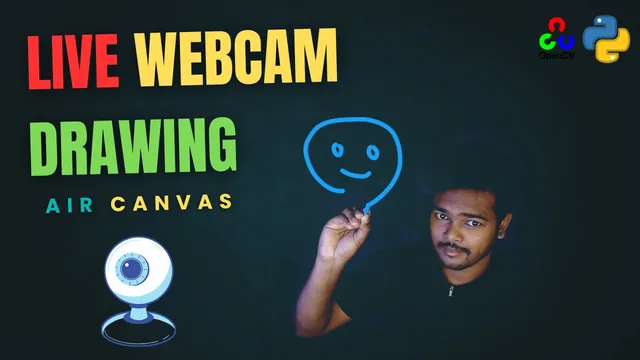
Air Canvas using openCV
Skillshare · Jayanta Sarkar · Updated
AI Tutor Rating
8.4/10
Duration
Self-paced
Classes
8
We will be using the computer vision techniques of OpenCV to build this project. The preferred language is Python due to its exhaustive libraries and easy ...
Air Canvas using openCV on Skillshare is a project-based computer vision course taught by Jayanta Sarkar. It guides learners to build an interactive 'air canvas' application using OpenCV and Python, focusing on real-time image processing. The course covers foundational computer vision techniques, including image processing, face detection, and object detection, to create a practical drawing tool controlled by hand gestures in the air. This course serves learners interested in applying AI and machine learning engineering concepts to a tangible, creative project, making it suitable for those with some programming background looking to enter the computer vision field.
What you'll learn in Air Canvas using openCV
Our Review of Air Canvas using openCV
The course structure, as outlined by its curriculum chapters, is concise and project-focused. It moves from foundations to practical image processing and concludes with career pathways, suggesting a streamlined path from concept to a working application. The teaching format is the standard Skillshare model of video lessons under a self-paced schedule, which offers flexibility but lacks structured assignments or direct instructor feedback. The depth appears tailored to intermediate learners; the outcomes promise hands-on ability to build computer vision applications and implement detection systems, but the brevity of the listed curriculum suggests this is an accelerated project walkthrough rather than a deep theoretical dive.
The value proposition is tied directly to the Skillshare Premium subscription model. For the monthly fee, learners get access to this course among thousands of others, which is cost-effective for those planning to consume multiple classes. However, the lack of an indicated completion certificate limits its utility for formal credentialing or job applications. The real value lies in the applied learning outcome: by course end, a learner should have a functional air canvas project to demonstrate practical OpenCV and Python skills for a portfolio, which is a significant asset for budding computer vision engineers.
Pros and cons of Air Canvas using openCV
Pros
- Focuses on a single, engaging project (Air Canvas) for applied learning.
- Covers in-demand computer vision skills like OpenCV, Python, and object detection.
- Self-paced format on Skillshare allows for flexible scheduling.
- Outcomes are practical, aiming for a real-time image processing pipeline.
- Access via Skillshare subscription provides cost-effective learning alongside other courses.
Things to consider
- Requires a Skillshare Premium membership, creating a recurring cost.
- No completion certificate is indicated for proof of skill.
- Assumes prior programming knowledge, as prerequisites beyond membership are not detailed.
Who should take Air Canvas using openCV?
This course is best for intermediate Python programmers or hobbyists who want a hands-on introduction to computer vision through a fun project. It fits learners comfortable with self-directed study who aim to build a portfolio piece demonstrating OpenCV skills in face detection, object detection, and real-time image processing, rather than seeking deep theoretical knowledge or a formal certificate.
Course curriculum for Air Canvas using openCV
Air Canvas using openCV at a glance
| Provider | Skillshare |
|---|---|
| Instructor | Jayanta Sarkar |
| Level | Intermediate |
| Time to complete | Self-paced |
| Pricing | Skillshare Premium ($13.99/mo) |
| Certificate | No |
| Prerequisites | Skillshare membership |
Fit
Best for
Not ideal for
The bottom line on Air Canvas using openCV
Air Canvas using openCV is a practical, project-centric entry point into computer vision, delivering good hands-on value for Skillshare subscribers interested in applying OpenCV with Python. Its main limitation is the lack of a verifiable certificate, making it more suitable for skill-building and portfolio development than for formal career advancement where credentials are required.
Air Canvas using openCV: frequently asked questions
What exactly is the Air Canvas using openCV course on Skillshare about?
The Air Canvas using openCV course teaches you to build an interactive drawing application using computer vision. You will use OpenCV and Python to process video in real time, detecting hand gestures to draw in the air as if using a canvas.
What programming experience do I need before taking this computer vision course?
The course lists Skillshare membership as the only explicit prerequisite, but its focus on building applications with OpenCV and Python strongly suggests you need prior foundational knowledge of Python programming to follow along effectively.
Does the Air Canvas using openCV course offer a certificate of completion?
No, the course page does not indicate that a completion certificate is offered. The primary value is in the project-based learning and the skills you build, not in a formal credential.
How can I get the most value out of the Air Canvas using openCV course?
To get the most value, ensure you have a comfortable grasp of Python first. Actively code along with the instructor, experiment by modifying the project parameters, and use the built application as a cornerstone project for your computer vision portfolio.