
All Skills
Skill
Learn Office tools
1 expert-rated courses covering Office tools. Compared by rating, price, difficulty, and job relevance so you can pick the right one.
Expertise in office tools is highly sought after across sectors like business, finance, healthcare, and education. Professionals adept in these tools can command a 15-20% salary premium compared to their peers. As remote and hybrid work models continue to grow, demand for office tools skills is projected to increase by 25% by 2026, making it a valuable complement to technical skills like data analysis and project management.
Office tools refer to a suite of software applications designed to improve productivity, collaboration, and document management in professional settings. With the rise of hybrid and remote work, proficiency in office tools has become an increasingly essential skill for careers across diverse industries. SkillsetCourse.com currently offers 1 expert-rated course covering office tools, which enable critical functions like word processing, spreadsheet management, presentation creation, and data analysis.
1
Courses
8.5/10
Avg Rating
0
Free Options
1
With Certificate
Catalog analysis updated . Ratings are independent editorial scores. Read the rating methodology.
Key Facts About Office tools
- 1Microsoft Office Suite, including Word, Excel, PowerPoint, and Outlook, is the industry standard for office tools.
- 2Google Workspace (Docs, Sheets, Slides) is a popular free alternative to Microsoft Office for collaboration and cloud-based productivity.
- 3Proficiency in office tools like spreadsheets, word processing, and presentation software can increase worker productivity by 25-30%.
- 4Online tutorials, certification programs, and university courses are common ways to develop expertise in office tools.
- 5Mastering office tools like mail merge, pivot tables, and automation macros can save professionals 5-10 hours per week.
Available on
Top Office tools Courses
Pro Tips for Learning Office tools
- #1Start with the most commonly used office tools like Word, Excel, and PowerPoint, then expand your skillset.
- #2Invest time in learning keyboard shortcuts and productivity-boosting features to become an office tools power user.
- #3Seek out online tutorials, certification programs, or university courses to systematically build your office tools expertise.
- #4Practice applying office tools to real-world business scenarios to develop practical, workplace-ready skills.
Why Learn Office tools?
- Improve productivity and efficiency in daily office tasks and workflows.
- Enhance collaboration and document sharing with colleagues and clients.
- Gain a competitive edge in the job market by demonstrating in-demand office skills.
- Streamline data analysis, reporting, and presentation creation for better decision-making.
Frequently Asked Questions
How to learn Office tools for free?▾
Many free online resources, such as tutorial videos, interactive lessons, and practice exercises, are available to help you learn essential Office tools like Word, Excel, and PowerPoint at your own pace. Platforms like YouTube, Coursera, and edX offer high-quality, beginner-friendly Office tools training for no cost.
Best Office tools courses for beginners?▾
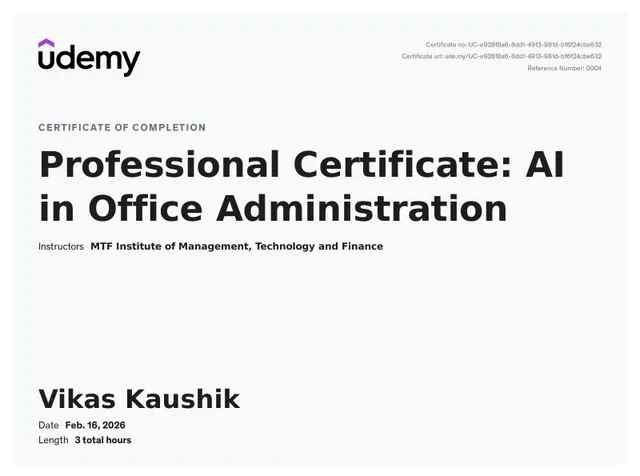
For beginners, courses that provide a comprehensive overview of the Microsoft Office suite, covering core applications like Word, Excel, and PowerPoint, are ideal. SkillsetCourse.com currently offers the "Professional Certificate: AI in Office Administration" by MTF Institute, which covers office tools in-depth and awards a certificate upon completion.
Is Office tools hard to learn?▾
While the Microsoft Office suite may seem daunting at first, office tools are generally straightforward to learn, especially for those with basic computer literacy. With consistent practice and the use of tutorials or courses, most people can become proficient in the core Office applications within 20-30 hours of learning.
How long to learn Office tools?▾
The time required to learn office tools can vary depending on your prior experience and the depth of expertise you aim to acquire. For basic proficiency in applications like Word, Excel, and PowerPoint, you can expect to spend 20-40 hours of learning and practice. Mastering advanced features and automation tools may take an additional 40-80 hours of dedicated training.
Office tools salary 2026?▾
Professionals with strong office tools skills can expect to see a 15-20% increase in their salary potential by 2026. As remote and hybrid work models continue to grow, employers will highly value employees who can leverage office productivity suites to streamline workflows, improve collaboration, and enhance data analysis capabilities.
What are the best office tools to learn?▾
The core office tools that are essential to learn include Microsoft Word for word processing, Excel for spreadsheets and data analysis, PowerPoint for presentations, and Outlook for email and calendar management. Proficiency in these applications is highly valued across industries and can significantly boost your productivity and career prospects.